
Reports
Reviewing work in progress (WIP) — what's been worked, written off, invoiced, and collected.
Nederlandse versie: /handleiding/rapporten
What is this? Under “Rapportages” (reports) you see how the firm is doing financially at the matter level. The most important report is the WIP report (“OHW”, onderhanden werk): hours and costs that have already been incurred but not yet invoiced. A lot of WIP means work is “on the shelf” without an invoice against it yet. The interface is in Dutch; on-screen names are quoted below.
How to open the WIP report
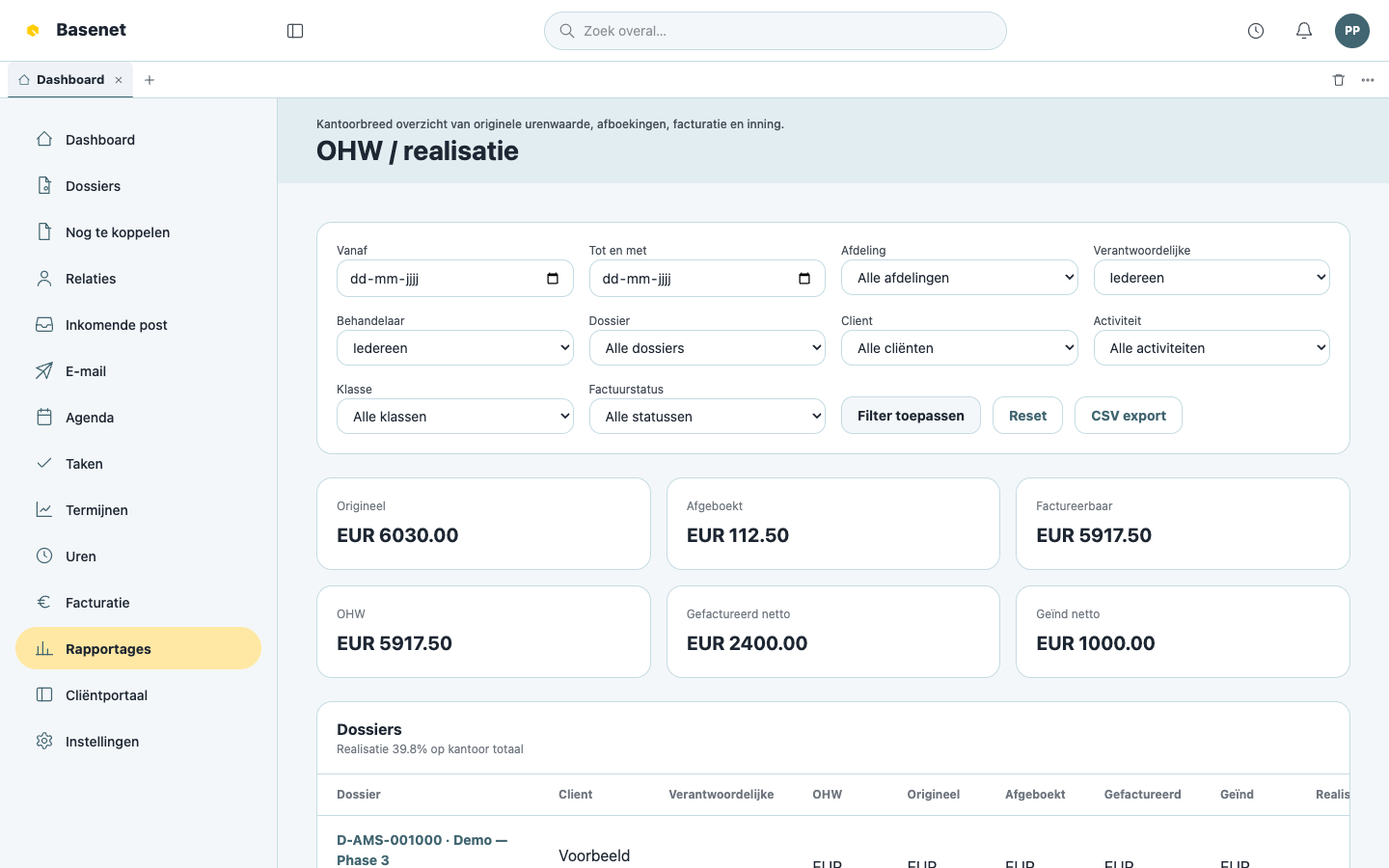
- Click “Rapportages” in the left rail.
- Open the report “OHW”.
- Per matter you see, among other things: “Dossier”, “Cliënt”, “Verantwoordelijke”, and the amounts “Origineel” (worked at rate), “Afgeboekt” (written off), “Factureerbaar” (billable), “Gefactureerd netto” (invoiced net), and “Geïnd netto” (collected net).
- Click a matter to drill down into the underlying hours and invoices.
How to use the report in practice
- “Factureerbaar” high? There are hours ready to invoice — go to the matter’s “Facturatie” tab and create a draft invoice (see Time & billing).
- A lot written off? Check the write-off reasons on the matter’s time entries; every write-off has a required reason.
- Invoiced but not collected? Check the payment status of the invoices under “Facturatie”.
What you see in reports is filtered on your permissions: you only see matters and amounts you have access to.