
Deadlines
Guarding fatal dates with the four-eyes principle — creating, confirming, and following up on deadlines.
Nederlandse versie: /handleiding/termijnen
What is this? A deadline (“termijn”) is a date by which something must happen at the latest — for example an appeal deadline or a court response deadline. A missed deadline can damage a case irreparably. That’s why Basenet guards deadlines firm-wide and applies the four-eyes principle (“vierogenprincipe”): a deadline only counts as “covered” once a second person has confirmed it. The app states it literally: “Vierogenprincipe: bevestiging moet door een ander dan de opsteller.” (Four-eyes principle: confirmation must come from someone other than the person who created it.) The interface is in Dutch; on-screen names are quoted below.
How to create a deadline
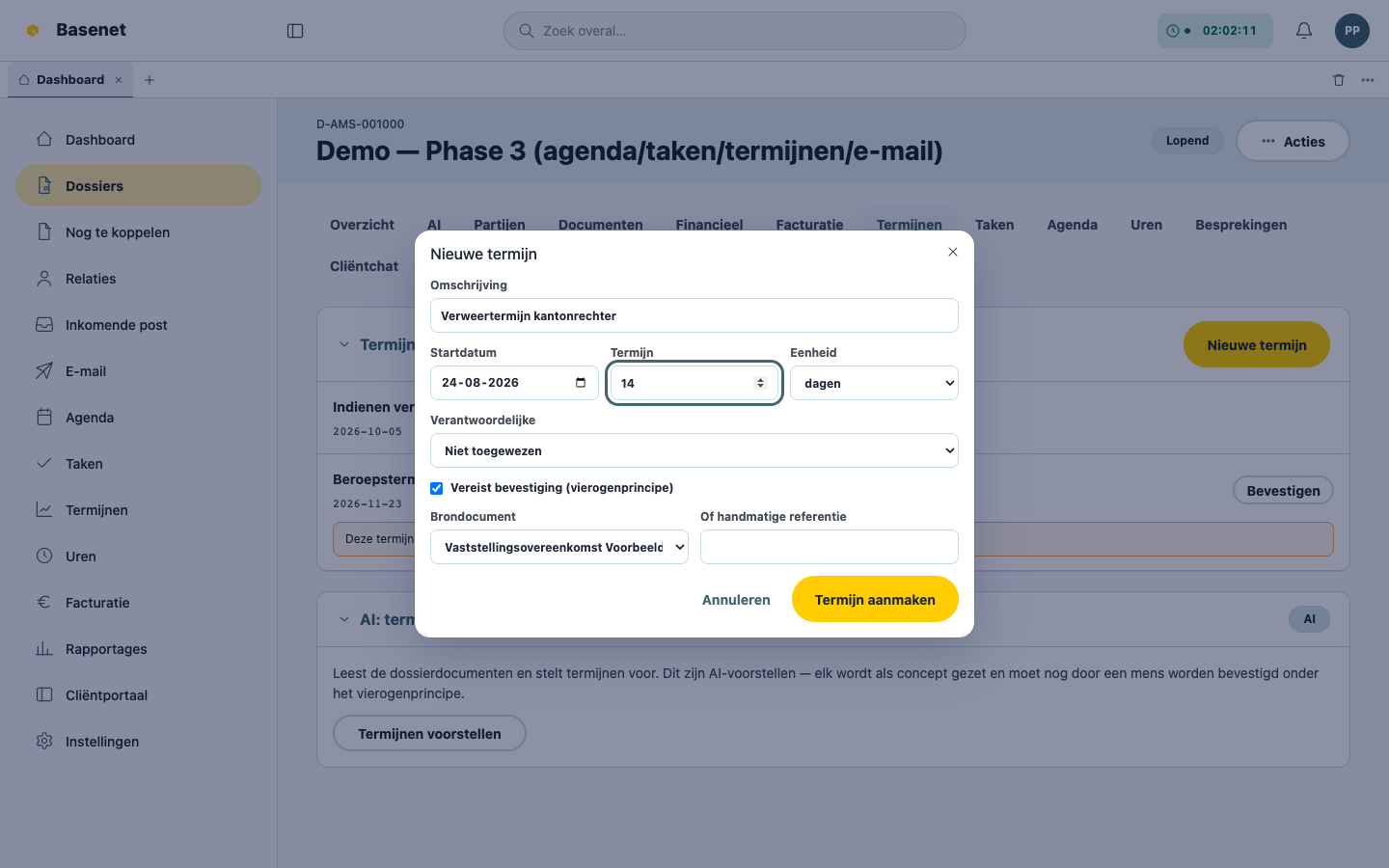
- Open the matter and click the “Termijnen” tab (or click “Termijnen” in the left rail for the firm-wide overview).
- Click “Nieuwe termijn” (new deadline).
- Fill in the “Omschrijving” (description).
- Fill in the “Startdatum” (start date), the “Termijn” (the number), and the “Eenheid” (unit — “dagen” (days), “weken” (weeks), “maanden” (months), or “jaren” (years)). Basenet immediately shows the “berekende termijn” (calculated deadline), shifted for weekends or public holidays.
- Choose a “Verantwoordelijke” (responsible person).
- Reference the source: pick a “Brondocument” (source document) from the matter, or enter a manual reference. Without a source, a deadline can’t be saved (“Een termijn vereist een brondocument of een handmatige referentie.”, A deadline requires a source document or a manual reference.).
- Leave “Vereist bevestiging (vierogenprincipe)” (requires confirmation (four-eyes principle)) ticked and click “Termijn aanmaken” (create deadline).
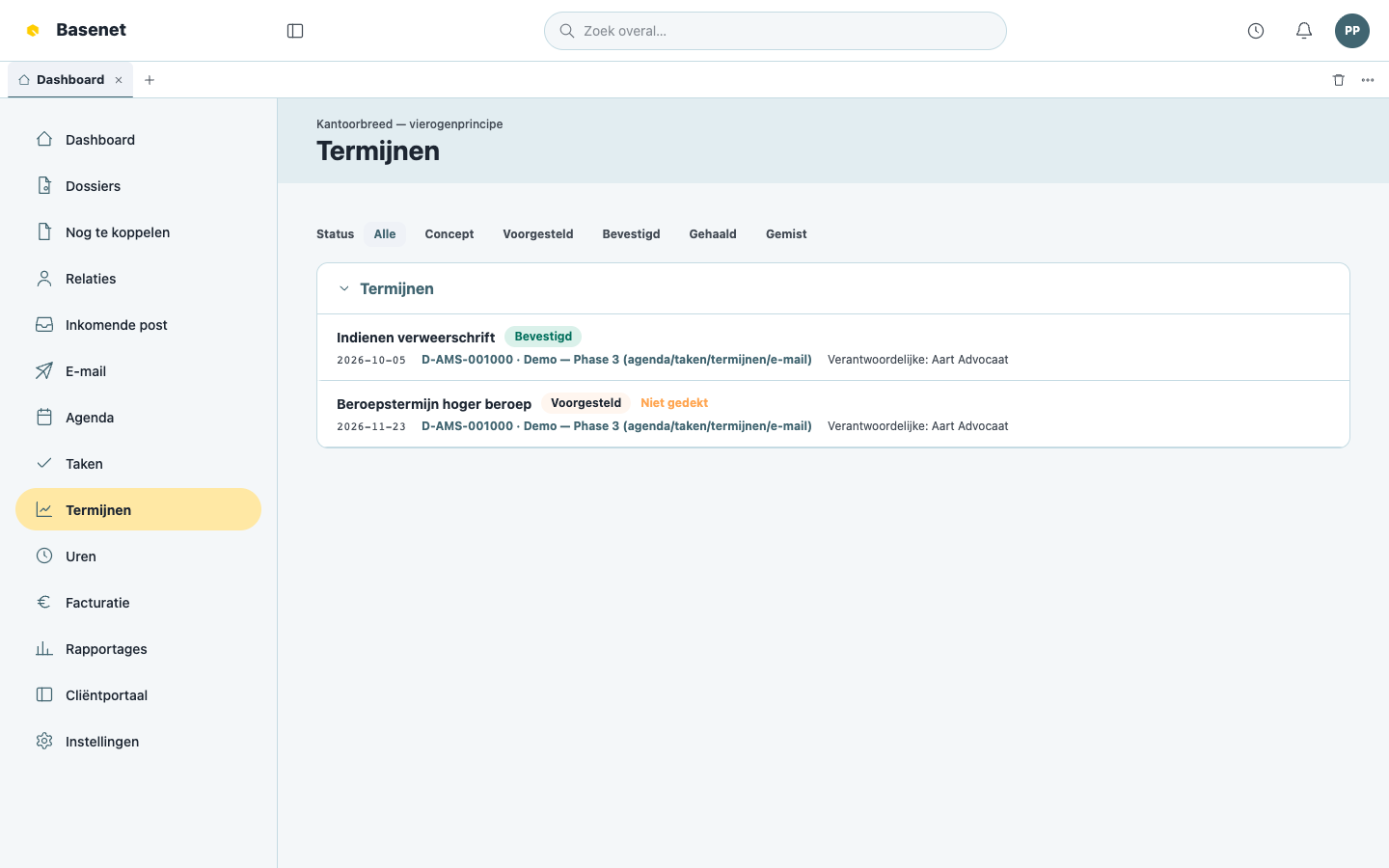
How to confirm a deadline (the second pair of eyes)
- Open “Termijnen” in the left rail. An unconfirmed deadline shows the banner “Deze termijn is niet gedekt: hij moet nog worden bevestigd onder het vierogenprincipe.” (This deadline is not covered: it still needs to be confirmed under the four-eyes principle.) and the flag “Niet gedekt” (not covered).
- Check the description, the date, and the source document.
- Click “Bevestigen” (confirm). This is only possible if you are not also the person who created it.
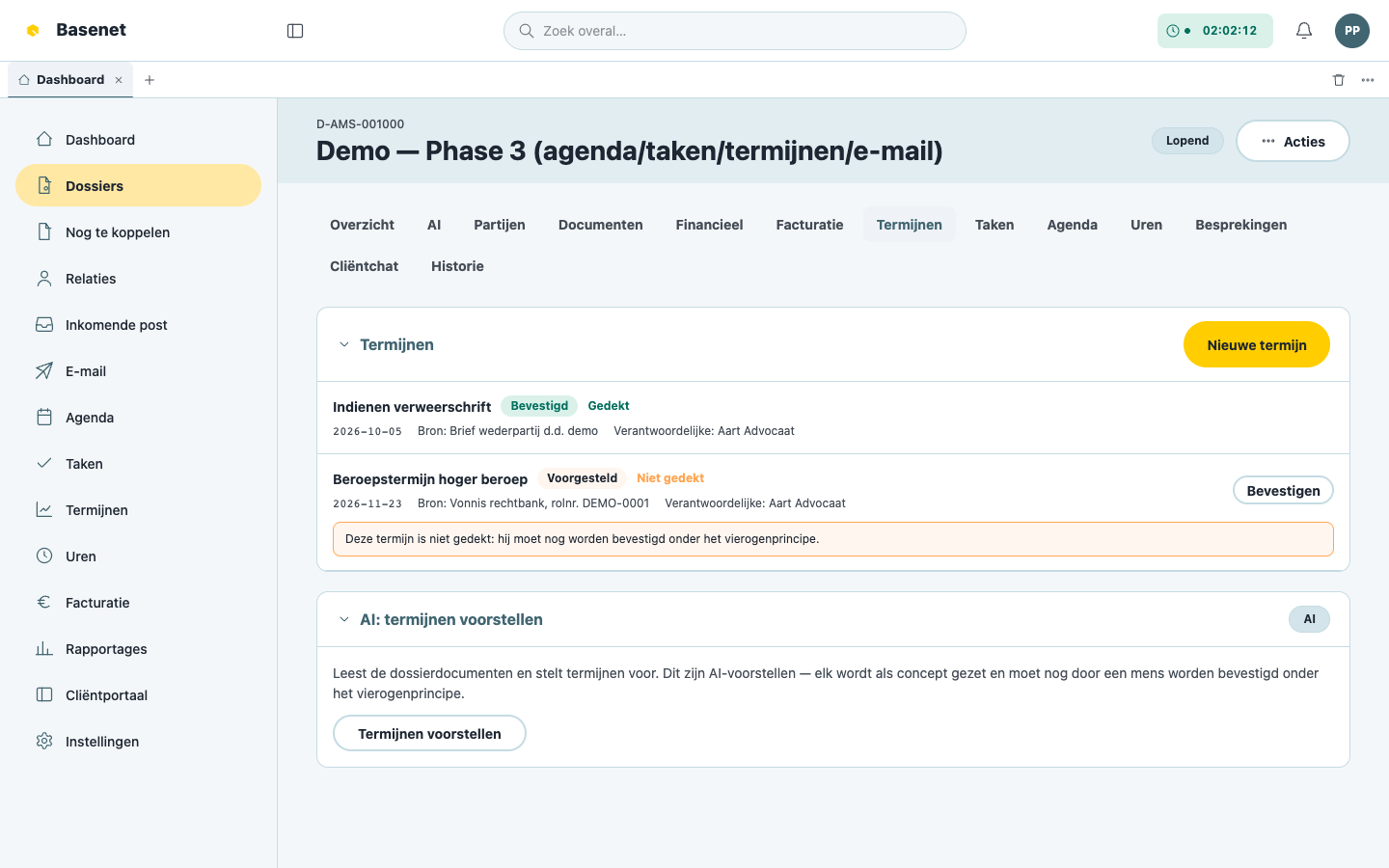
The statuses you’ll encounter: “Concept” → “Voorgesteld” (proposed) → “Bevestigd” (confirmed), and afterwards “Gehaald” (met) or “Gemist” (missed). Deadlines that are nearly due get the flag “Loopt binnenkort af” (expiring soon).
Where do you see deadlines?
- “Dashboard” → widget “Aankomende termijnen” (upcoming deadlines), showing per deadline “Bevestigd” or “Wacht op dubbele controle” (awaiting second check).
- “Termijnen” in the left rail → all deadlines firm-wide, with columns “Termijn”, “Omschrijving”, “Status”, “Bron”, “Verantwoordelijke”, and “Dossier”.
- The “Termijnen” tab of every matter.
AI proposals for deadlines
If your firm has enabled the AI feature “Termijnen extraheren” (extract deadlines), Basenet can read matter documents and propose deadlines (button “Termijnen voorstellen”, propose deadlines, on the matter). Every proposal is set to “Concept” and must always still be reviewed by a human and confirmed under the four-eyes principle — a deadline is never finalized automatically.